
Personal trainer · iPhone
Optimise your workout, wherever, whenever. adapt
Tell ADA_PT how long you have and how you feel. It builds today's session around your history, the equipment where you are and any injuries, then coaches you through it set by set.
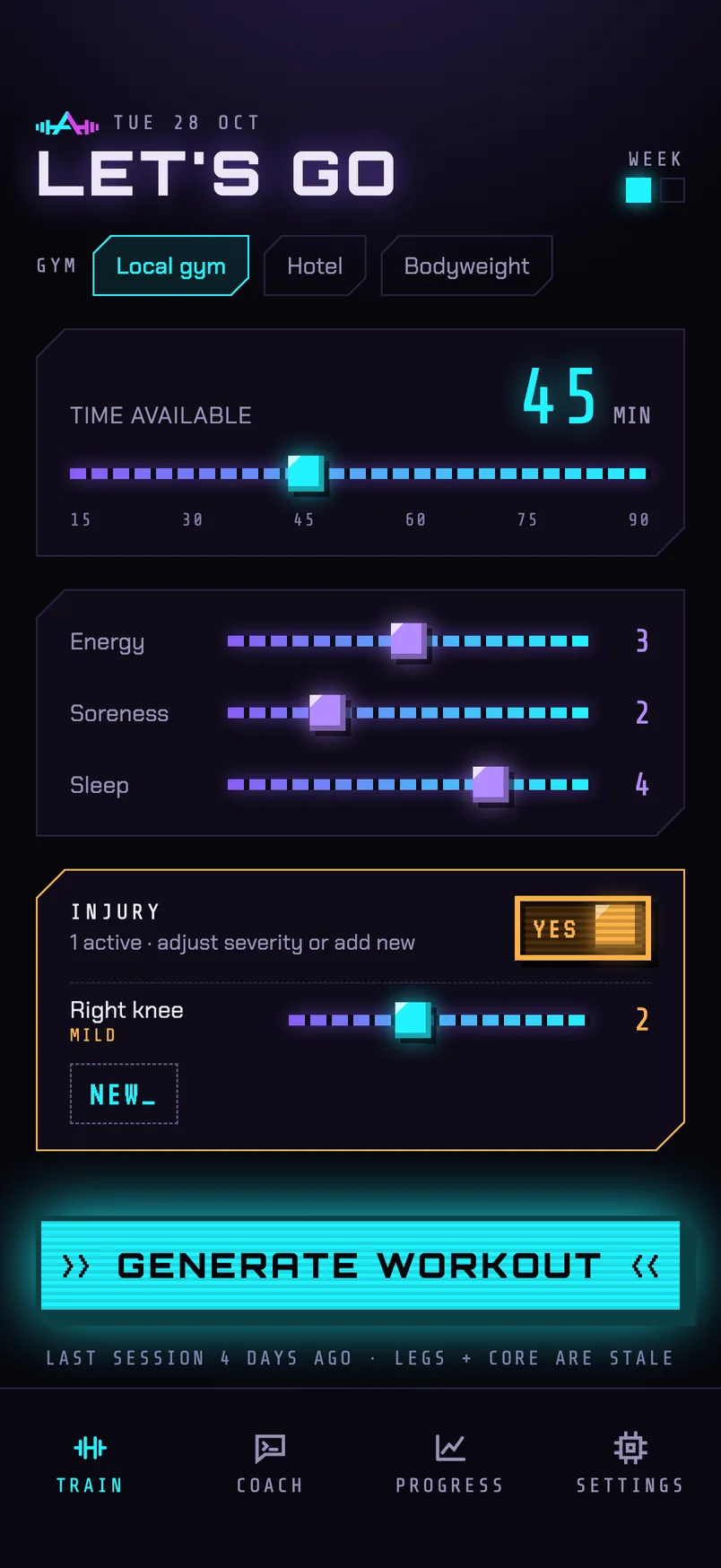
How it works
Arrive, train, adapt
-
01 · ARRIVE
Tell it where you are
Pick the gym, set the minutes you have, and rate your energy, soreness and sleep. Flag anything that hurts. One tap builds the session.
-
02 · TRAIN
One card per exercise
Each card shows the movement, its cues and your sets. Swipe a set to log it, rest on the built-in timer, and skip a busy machine to come back to it later.
-
03 · ADAPT
Every rating counts
Rate how hard each exercise felt and add a note. The plan adjusts loads, volume and exercise choice from what you actually did.
Screens
Built for the gym floor
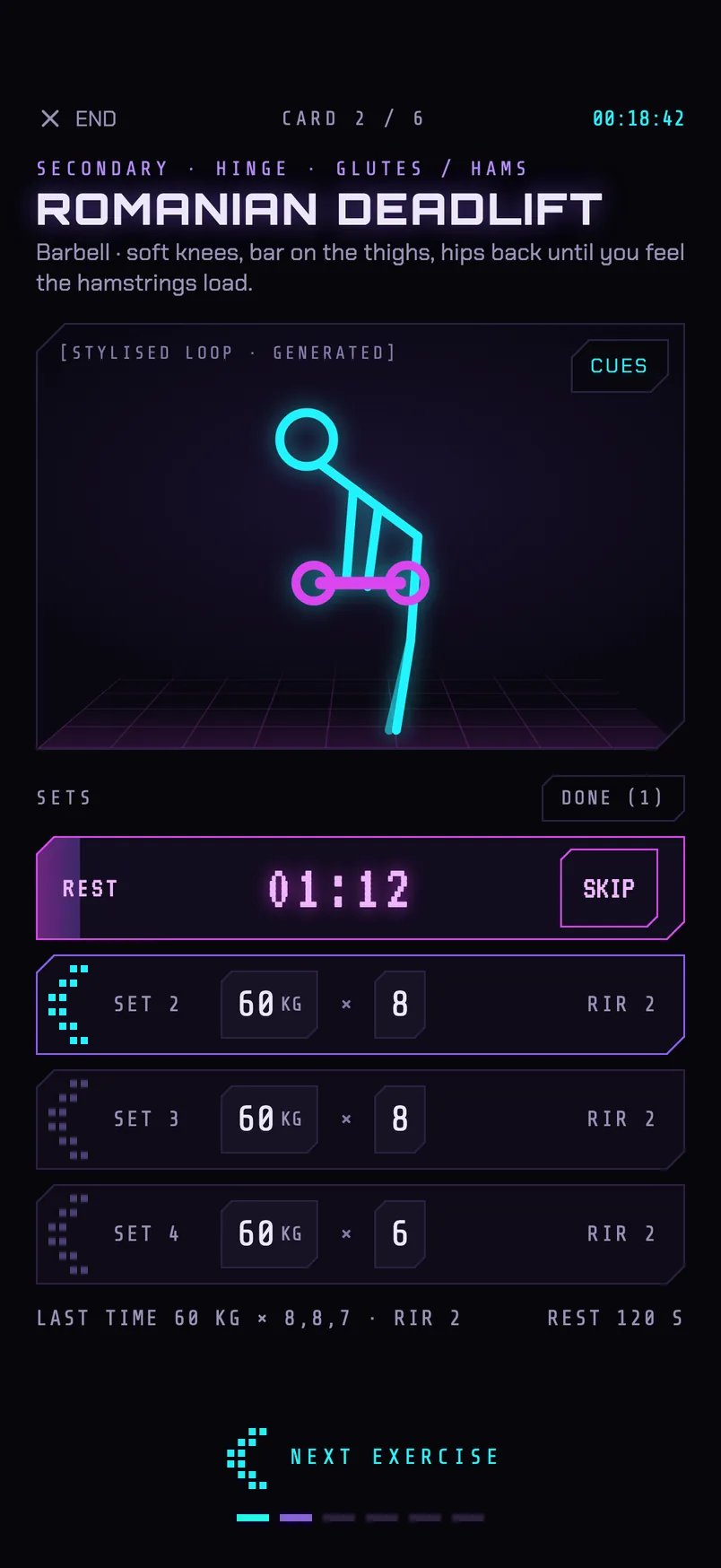
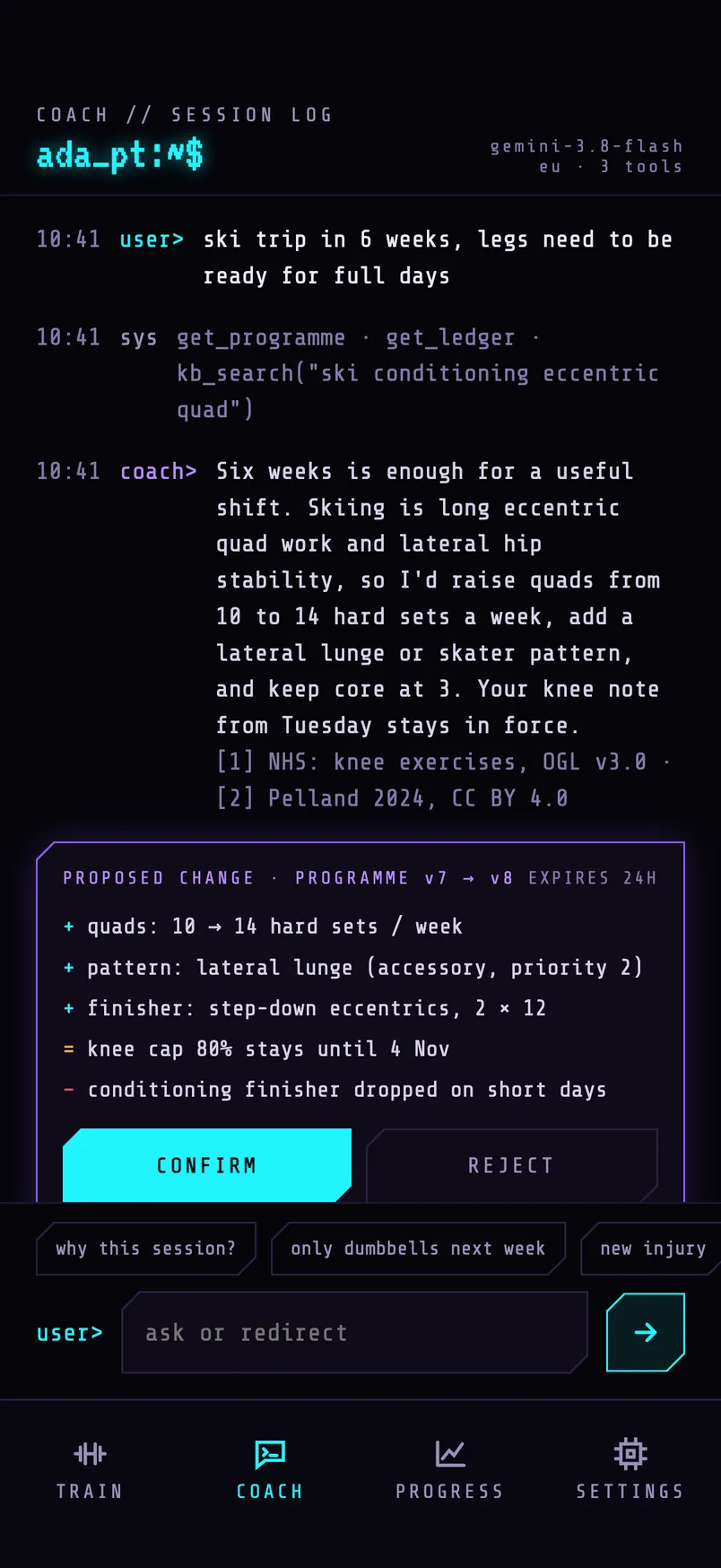
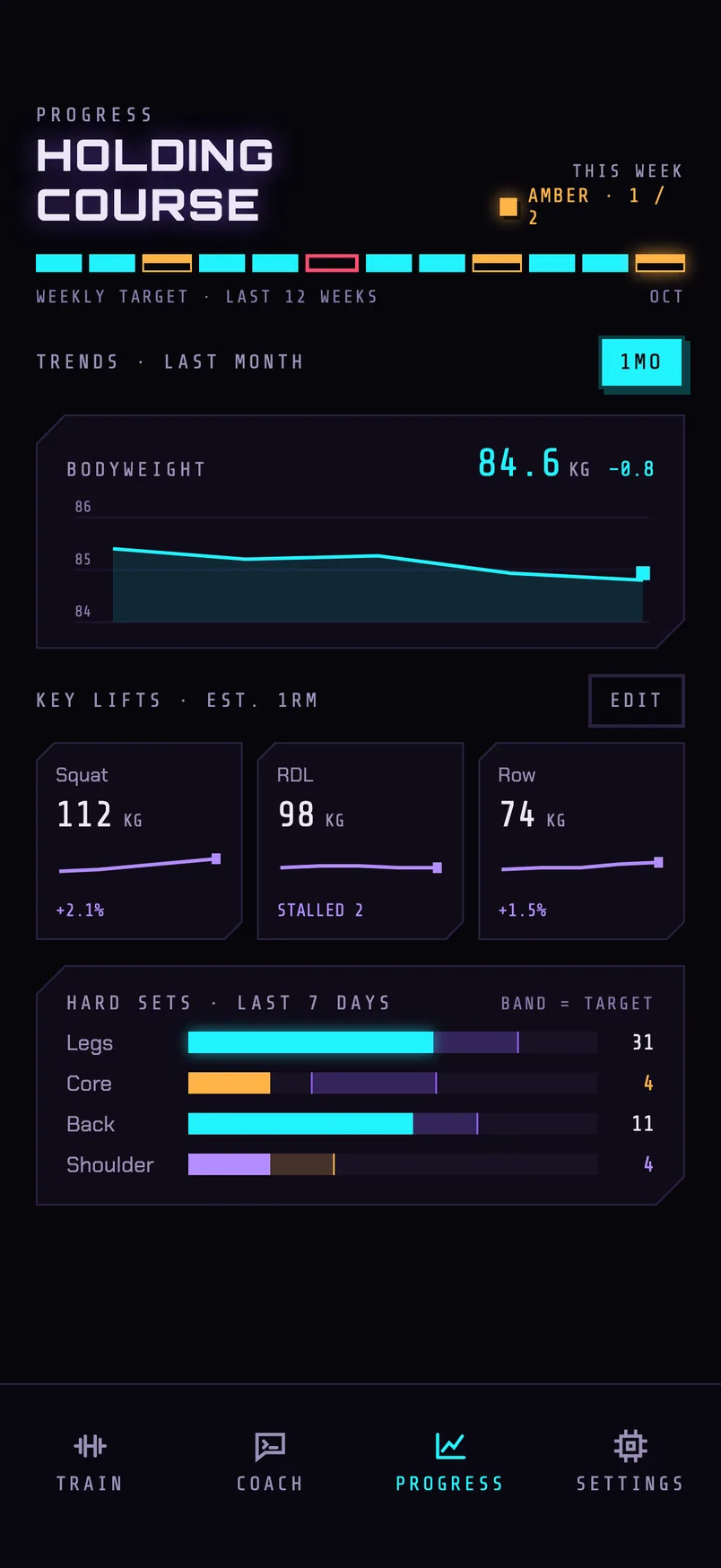
Screens from the current design. Example data.
Why it's different
A trainer that knows the context
Sized to the time you have
Thirty minutes or an hour, it fits the session to the clock and keeps the work that matters most when time is short.
Trains around injuries
A short chat captures what hurts and what sets it off. The app avoids what aggravates it, caps the load, and suggests safer alternatives so you keep training the area.
Works with bad signal
Gym signal is often poor, so sessions build and log on the phone and sync when you are back online.
Grounded in exercise science
Programming rules are drawn from openly licensed guidance and research, and the coach cites its sources when it explains a change.
ADA_PT gives fitness guidance, not medical advice. It does not diagnose or treat anything. If you are under a clinician's care, their advice comes first.